
When you visit Disneyland or Disney California Adventure, time is of the essence. With only about 14-16 park hours in a day, and with families paying thousands of dollars to be there, you want to make sure you’re maximizing your time to the fullest extent when you visit. The more you maximize your time, the more you can get done, so being efficient is key to having a good day at the parks. One of the best ways to save time at Disneyland actually has nothing to do with the rides but rather how you order food. I’m talking about Mobile Order at Disneyland.
Mobile Order is relatively simple, but a lot of Disneyland guests frequently overlook it. It really baffles me that standby lines for food are still incredibly long because many guests simply don’t know about or are unfamiliar with the mobile order system at Disneyland. When you have to wait 30-45 minutes for food, you’re wasting valuable park time. Hopefully this guide can help you get the confidence and knowledge you need to use the system to your advantage. This guide will go into how Mobile Order at Disneyland works, which restaurants offer it, and tips and hacks you can use to make the system work for you.
Let’s begin!
This post contains affiliate links. We receive a small commission for purchases made after clicking on these links at no extra cost to you.
Click the links to buy tickets to:
Like me on Facebook at The Disney Specialist, and follow me on Instagram / Twitter / Tiktok!
Check out these helpful posts to plan your Disneyland trip!
- DCA Ride Ranking
- Disneyland Ride Ranking
- DCA Ride and Attraction Guide
- Disneyland Ride and Attraction Guide
- Best Times to Visit Disneyland
- Disneyland Lightning Lane Guide
- Disneyland Early Entry Guide
- Disneyland Rope Drop Strategy and Guide
- DCA Rope Drop Guide and Strategy
- 1-Day DCA Itinerary
- 1-Day DCA Itinerary with Lightning Lane
- 1-Day Disneyland Itinerary
- 1-Day Disneyland Itinerary with Lightning Lane
- How Many Days to Visit Disneyland
- Top 20 Disneyland Snacks and Treats
- Top 10 DCA Snacks and Treats
- How to Mobile Order at Disneyland Guide
What is Mobile Order?
Mobile Order is a Disneyland dining system that’s been in place since 2018. With the system, guests are able to pre-order and pre-pay for their food, allowing them to bypass the standby line for food at their chosen restaurant and instead pick up their food almost immediately.
Think of Mobile Order as a fastpass or lightning lanes for Disney dining. With it, you’re able to skip the queues at the most popular restaurants and save precious park time by effectively “reserving” a time to come back and eat, kind of like what Lightning Lanes do with their return times. The only difference is, Mobile Order is free to use by any guest at Disneyland that day, and you can even make mobile order reservations from outside the park before the park opens!
Klook.comHow Does it Work?
Mobile Order at Disneyland is available at most quick service restaurants, as well as at some snack stands and windows. All mobile ordering must be done via the Disneyland app. Through the app you’ll pick a restaurant and then pick a timeslot for when you can go and pick up your food. Timeslots will be released in increments of 15 minutes, and they will move forward by 5 minutes every time one fills up. For example, you may see return times for 3pm-3:15pm, but when you refresh the page you’ll see return times of 3:05pm-3:20pm if enough orders have been placed to fill up the previous return time.
Unlike Lightning Lane where you can only pick the currently available return time, you can schedule a mobile order for hours later, sometimes even till the end of the day. Some guests will take advantage of this and pre-book all their meals before they even enter the park. Restaurants become available to take mobile orders every day at around 7am Pacific Time. Starting then, you can begin mobile ordering food, even for late at night.
The perk of mobile ordering is that once you order it, that particular meal is saved for you. So even if the item “runs out” of stock for the day, if you mobile ordered it earlier in the day then it’s basically guaranteed that the restaurant will save one for you. A lot of people use this to their advantage for new or limited stock items.
Klook.comYou’ll then pick your food similar to how you would order on UberEats, and then will proceed to pay for your food. You can pay using Apple Pay, Disney Gift or Rewards Cards, or by Debit or Credit card. Current mobile orders can be viewed, modified, and cancelled from the Disneyland App as well. You’ll be able to see them in the “My Day” section of the app. You’re also allowed to hold as many mobile orders as you want, so you could theoretically hold a Mobile Order for every restaurant in either park all at once.
When it’s nearing your time to pick up your food, you’ll receive a notification allowing you to notify the restaurant that you’ve arrived to pick up your food. It is absolutely CRUCIAL that you click the “I’m Here, Prepare My Order” button on the Mobile Order screen as doing this will trigger the cast member to start preparing your meal.
I would recommend hitting that button when you’re on the way to the restaurant to ensure that it’s ready as soon as you arrive. The button will be available 5 minutes before your scheduled dining time. That means that, theoretically, you could claim your food before your return time even starts.
If you need to cancel your order, head to your mobile order’s particular page on the app and cancel it from there. Unlike with other Disney refunds, Disneyland will process your refund within the hour, usually because they merely put a hold on your account until your food is claimed. Once you claim it, though, it will charge your card and issue you a receipt. From that point on you will not be able to cancel.
Klook.comWhat Restaurants Use Mobile Order?
These are the restaurants that use Mobile Order at Disneyland and Disney California Adventure. As mentioned, all of these places are either quick service locations or booths and windows. You cannot use Mobile Order for sit down restaurants.
Disneyland
Alien Pizza Planet
Bengal Barbecue
Cafe Daisy
Docking Bay 7 Food and Cargo
Edelweiss Snacks
Galactic Grill
Gibson Girl Ice Cream Parlor
The Golden Horseshoe
Harbour Galley
Hungry Bear Barbecue Jamboree
Jolly Holiday Bakery Cafe
Little Red Wagon
Milk Stand
Mint Julep Bar
Red Rose Tavern
Refreshment Corner
Ronto Roasters
Royal Street Veranda
Stage Door Cafe
Tiana’s Palace
Tiki Juice Bar
The Tropical Hideaway Express
Troubador Tavern
Klook.comDCA
Adorable Snowman Frosted Treats
Aunt Cass Cafe
Award Weiners
Bayside Brews
Boardwalk Pizza and Pasta
Cappuccino Cart
Clarabelle’s Hand-Scooped Ice Cream
Cocina Cucamonga Mexican Grill
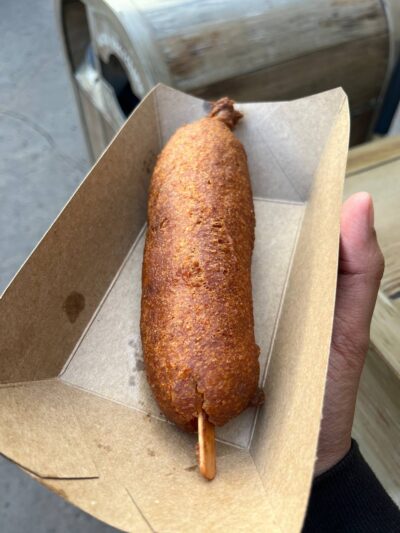
Corn Dog Castle
Cozy Cone
Flo’s V8 Cafe
Hollywood Lounge
Lucky Fortune Cookery
Mendocino Terrace
Paradise Garden Grill
Popcorn at Grizzly Peak Airfield
Port of San Fransokyo Cerveceria
Pym Tasting Lab
Pym Test Kitchen
Rita’s Turbine Blenders
Schmoozies
Smokejumpers Grill
Sonoma Terrace
Studio Catering Co.
Klook.comHow Do You Mobile Order?
Step 1: Open the Disneyland App
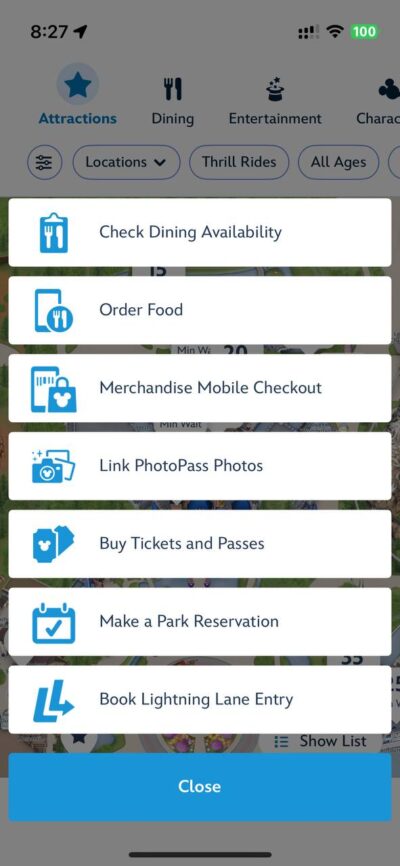
Step 2: Click the button that has a plus with a circle around it located at the middle of the menu on the bottom of the screen
Step 3: Click on the “Order Food” option.
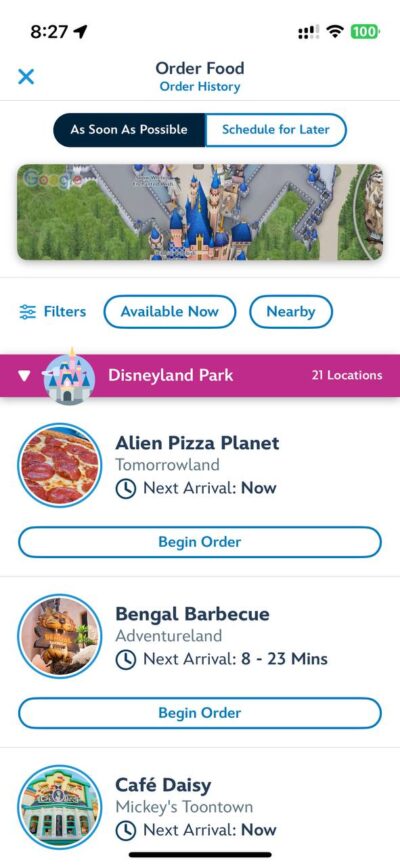
Step 4: Pick a restaurant and select an arrival window. You’ll then be taken to the “Build Your Order” screen.
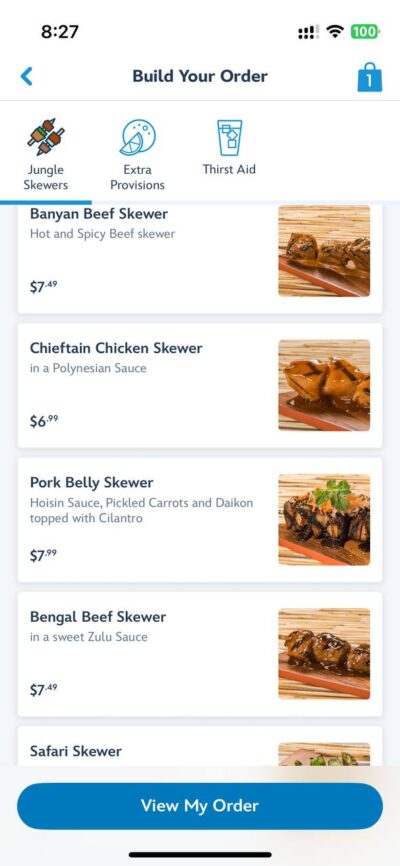
Step 5: Select the food you want to add to your order. Click on each food item to learn more about it.
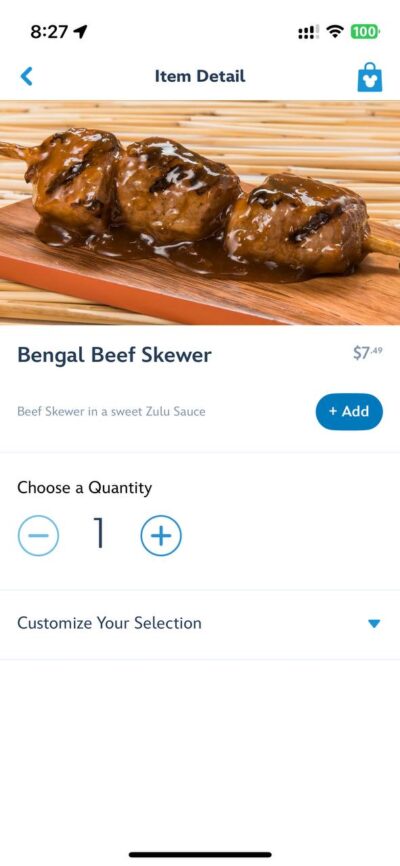
Step 6: Customize each food selection (if applicable) then click the “Add” button.
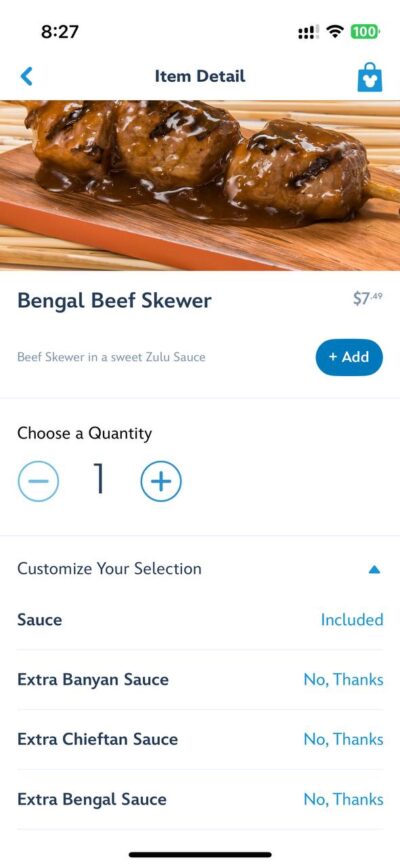
Step 7: Once you’re done adding, click “View My Order”
Step 8: Click either “Add More Items” if you’d like to add more or “Review Order Summary” to continue
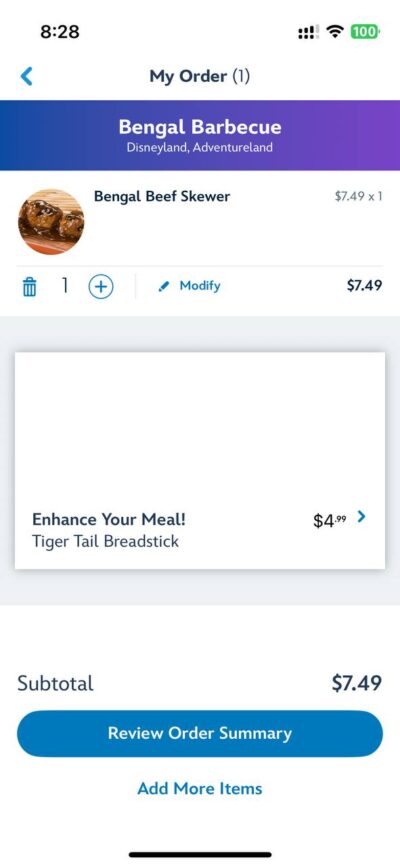
Step 9: Enter any Promos or Discounts in the Order Summary page.
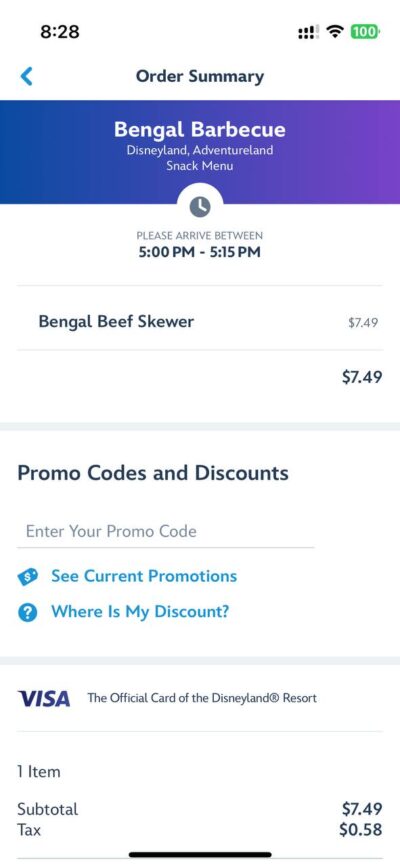
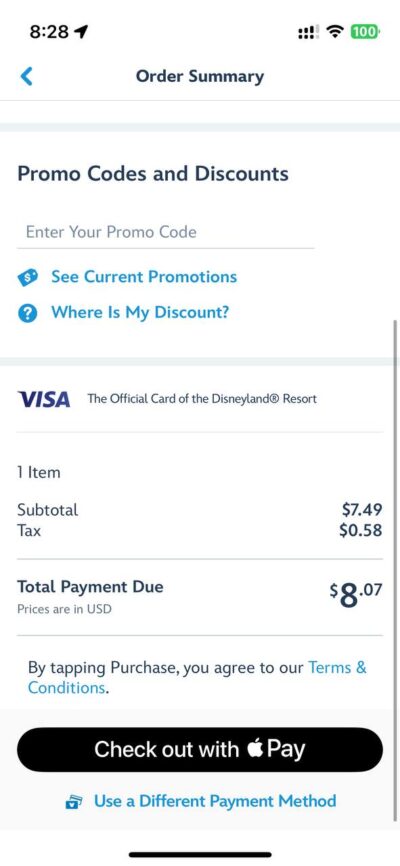
Step 10: Pick the appropriate payment method
Step 11: Pay for your food
Step 12: When your return time rolls around, click “I’m Here, Prepare My Order” to let the restaurant know that they can begin preparing your meal.
Step 13: Pick up your food. Bon Appetit!
Klook.comTips and Hacks for Mobile Ordering
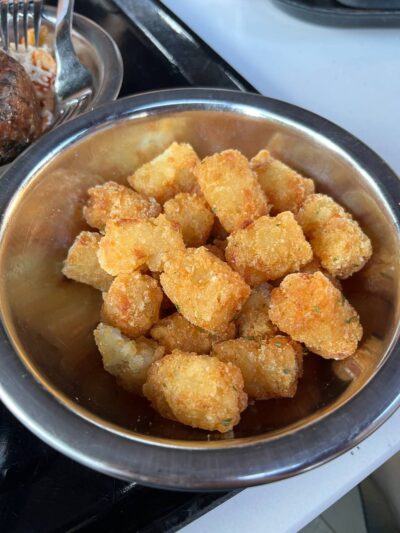
My first tip is to order your food in advance if you think it will run out that day. For example, the raspberry rose mickey macaron at Jolly Holiday runs out pretty quickly everyday, as do the Harbor Galley Chocolate Chip Cookies. You can order these snacks once 7am rolls around and order them for later in the day, ensuring that you get an order of them even if they run out that day.
If you order using Mobile Order but find that the return times are too far out, you can keep “refreshing” to see if an earlier return time pops up. You can only do this after you’ve placed an order. You can keep checking by going to the particular orders page and trying to modify the order. You can keep going back and forth between the order screen and the modify screen and sometimes earlier return times will pop up.
While mobile ordering, you can check each restaurant for their allergy-safe options. Once you’re in the “Build Your Order” page, there will be an option for you to check out allergy safe meals. They will list which foods are safe for which type of dietary restriction. Disney does this for every quick service restaurant so that you know which meals are safe to eat for those with dietary restrictions.
Klook.comHow to Mobile Order at Disneyland Guide Conclusion
And that’s it! I hope this Mobile Order at Disneyland guide was informative and made you more confident to use Mobile Order in the future. If you have any questions, feel free to contact me on my socials!
Like me on Facebook at The Disney Specialist, and follow me on Instagram / Twitter / Tiktok!
If you enjoyed this How to Mobile Order at Disneyland Guide, consider subscribing to my newsletter and bring the Disney parks to your inbox. Whether you’re planning your first trip or your hundredth, my newsletter is your ultimate guide to the magic of the parks.
🌟 What You’ll Get:
- Expert tips for navigating the Disney parks.
- The latest updates on new attractions, events, and dining experiences.
- Exclusive tips to enhance your trip.
- Itineraries and guides.
From Walt Disney World and Disneyland to Disney Cruise Line and the international parks, we’ll help you plan the trip of your dreams!
Click the links to buy tickets to:
Klook.comSUGGESTED READING:
July 10, 2025
Disney announced today that the new Walt Disney audio animatronic [...]

July 10, 2025
After asking yourself when you should go to Disneyland, the [...]

June 25, 2025
More often than not, the first question anyone asks themselves [...]
June 18, 2025
Disney California Adventure (DCA) has really grown into its own [...]